XAPK, APKM, and APKS are all Android package containers, but they are built for different distribution and installation workflows. If you choose the wrong format for your device or installer, installation can fail even when files look valid.
On this page
1. Quick Definitions
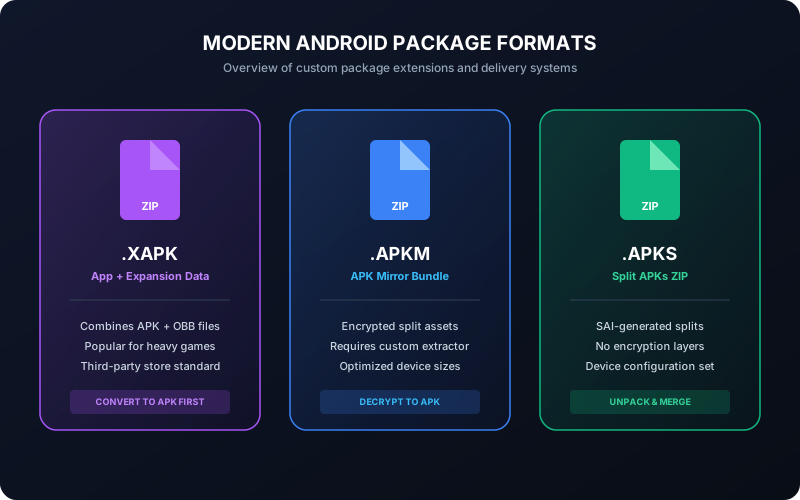
- XAPK: archive container commonly used outside Play Store. It may include an APK plus OBB assets or split packages.
- APKM: bundle-style package format used by some mobile package managers to distribute multiple split modules together.
- APKS: archive of split APK set generated from app bundle flow, typically including base and config splits.
2. Structural Comparison
| Format | Typical Contents | Direct Install Support | Common Failure Mode |
|---|---|---|---|
| XAPK | APK + OBB or split assets | Limited (depends on installer) | Missing asset handling or unsupported container |
| APKM | Split modules in bundle container | Often requires bundle-aware installer | Incomplete module set after extraction |
| APKS | Base + config splits (ABI/lang/density) | Not always direct via default installer | Wrong split selection or missing base APK |
3. When Each Format Is Useful
- XAPK: useful when app package and heavy assets are distributed together in one archive.
- APKM/APKS: useful for split delivery optimization across device configurations.
- Standard APK: best for simple sideload workflows and repeatable manual installs.
4. Conversion Decision Guide
Choose conversion to APK when you need compatibility with the stock Android installer or when troubleshooting install failures across multiple devices.
- Use container format only if your installer explicitly supports it.
- If not, convert to APK and verify package metadata before install.
- For enterprise/manual QA flow, keep a signed APK output as canonical artifact.
5. Common Installation Pitfalls by Format
- XAPK: app installs but fails to open because OBB data is missing or misplaced.
- APKM: extracted output incomplete due to missing required split components.
- APKS: installation fails because base/config splits are not selected consistently.
If you see "App not installed", run package analysis first and then retry with a clean conversion output.
6. Security and Integrity Considerations
- Verify file source and checksum where possible.
- Avoid mixing modules from different releases in one install attempt.
- Keep signing workflow consistent if you rebuild or modify packages.
7. Practical Recommendation
For most users doing manual installation, converted APK is the most predictable endpoint. For advanced users with bundle-aware tools, APKM/APKS may preserve split optimization but require stricter handling.