The Android ecosystem's open nature is both its greatest strength and its most significant security vulnerability. Millions of users daily choose to "sideload" applications from outside the Google Play Store—often to access "modded" APKs that offer unlocked premium features, ad-free experiences, or unlimited in-game currency. While the appeal is obvious, the binary reality is much darker. In this professional guide, we analyze the architectural security risks of sideloading and explain how developers inject malicious payloads into seemingly harmless APK files.
Inside the Assessment
1. What is Sideloading?
Sideloading refers to the process of installing an Android application package (APK) from a source other than the official Play Store. This is typically done by downloading the file via a browser or a third-party app store and enabling the "Install Unknown Apps" permission in system settings.
When you sideload, you bypass Google’s automated app review process, which scans for malware, privacy violations, and known vulnerabilities. This places the sole responsibility for security on you, the user.
2. The Anatomy of a Modded APK
A "Modded" (modified) APK is an existing app that has been decompiled, altered, and then re-packaged. The process usually follows these steps:
- Decompilation: Using tools like
apktool, a modder breaks the binary APK back into a readable "Smali" code (a form of assembly) and resource files. - Code Injection: The modder changes the logic—for example, skipping license checks or unlocking "Pro" features. This is also where a malicious actor can insert "backdoor" code.
- Re-compilaton: The files are packed back into an APK file.
- Re-signing: Because the original developer’s signature is broken during decompilation, the modder must sign it with their own private key. This is why you cannot "update" a modded app directly from the Play Store.
3. Top 5 Security Risks Explained
Installing a modded APK isn't just about getting free stuff; it's about giving an unknown stranger access to your digital life.
A. Malware and Adware Injection
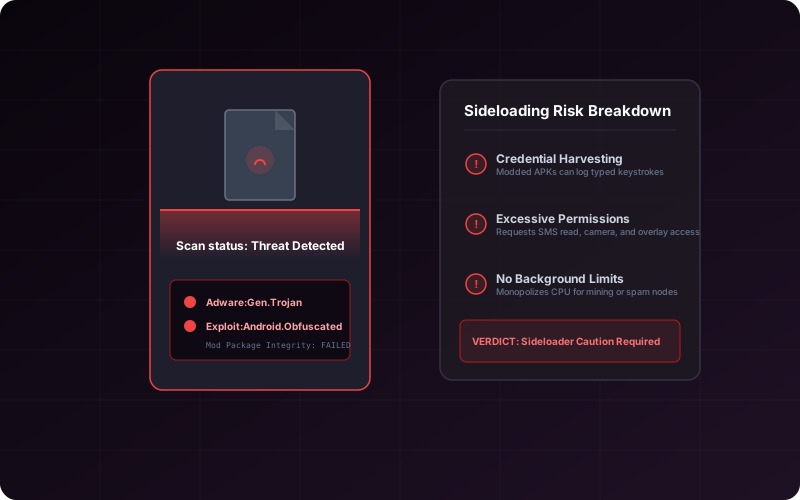
This is the most common risk. Injected code often runs in the background, bombarding you with ads or, worse, installing other malicious apps without your knowledge. These are often difficult to uninstall as they hide their icon from the app drawer.
B. Credential and Financial Theft
A modified app can include a "keylogger" layer that captures every keystroke. If you use a modded social media app or a tool that requires account login, your username and password could be sent directly to a remote server. Never use modded versions of apps that handle sensitive login or payment data.
C. Persistent System Backdoors
Some advanced exploits use the sideloading process to gain root-like permissions or "Device Administrator" status. This allows the attacker to remotely monitor your screen, record your mic, or even lock your device for ransom.
D. Account and Platform Bans
Companies like Meta (WhatsApp/Instagram) and game publishers (Level Infinite, Epic) have automated systems to detect modified binaries. Using a modded APK can result in a permanent ban of your legal account and even a hardware-ID ban of your phone.
E. Compromised Privacy (Exfilling Personal Data)
Even if an app isn't "malicious" in terms of damage, it may be designed to exfiltrate your contacts, SMS history, and photo metadata to third-party data brokers in countries with no privacy laws.
4. How to Detect Malicious APK Payloads
If you absolutely must sideload an app, use these technical verification steps:
- Compare Certificate Fingerprints: Use our APK Analyzer tool to view the SHA-1 or MD5 fingerprint of the signer. If the fingerprint doesn't match the official developer’s public fingerprint, the app has been modified or "re-signed."
- Scan with Virustotal: Before installing, upload the APK to
virustotal.com. It will scan the file against 70+ antivirus engines simultaneously. - Check Permissions: If a simple "Flashlight" app is requesting "Read SMS" or "Record Audio" permissions, it is highly likely malicious.
5. The Role of Google Play Protect
Google Play Protect is your device’s internal security scanner. It uses machine learning to identify apps that exhibit "Potentially Harmful Behavior" (PHB). While it’s good, it’s not perfect. Many modern "zero-day" exploits can bypass Play Protect for several days or weeks before they are added to the global signature database.
Warning: Never disable Play Protect, even if an "official-looking" modded site tells you to do so to "prevent conflicts." This is a major red flag.
6. Best Practices for Hardening Your Device
To benefit from Android's flexibility while staying safe, follow these rules:
- Use a Sandbox/Work Profile: Use apps like **Island** or **Insular** to create a separate "Work" profile. Install your sideloaded apps here. This isolates them from your primary photos, contacts, and banking data.
- Minimal Persistence: Uninstall sideloaded apps as soon as you are done with them. Do not keep them on your device long-term.
- Stick to Trusted Repositories: Only download from reputable major stores like APKMirror or F-Droid that have a clear, documented review process.
7. Frequently Asked Questions (FAQ)
Are all modded APKs dangerous?
Not necessarily. Some are truly created by hobbyists to add features. However, as an end-user, you have no easy way to tell "good" mods from "bad" mods without significant reverse-engineering skills. Treating them all as "high risk" is the safest posture.
Does re-signing an APK with XapkTool make it safe?
No. Signing only secures the *current* state of the file. If malicious code was already injected *before* you re-signed it, that code will still be there. A signature only guarantees that the file has not changed since the *last* signing, not that the code itself is safe.
Can a modded APK hack my other apps?
Standard Android security (UID isolation) prevents one app from reading another app’s data. However, if the modded app exploits a kernel-level vulnerability, it could theoretically cross these boundaries.