There is nothing more frustrating than waiting 15 minutes for a 3GB game to download, only to be met with a cryptic error message like "Installation failed: -2" or "An unknown error occurred." These numerical codes are the OS's way of telling you exactly what went wrong in the background plumbing. However, Google rarely explains what these numbers mean to the end-user. In this ultimate troubleshooting cheat sheet, we break down the top 20 most common Android installation error codes, categorize them by cause, and provide actionable solutions for each.
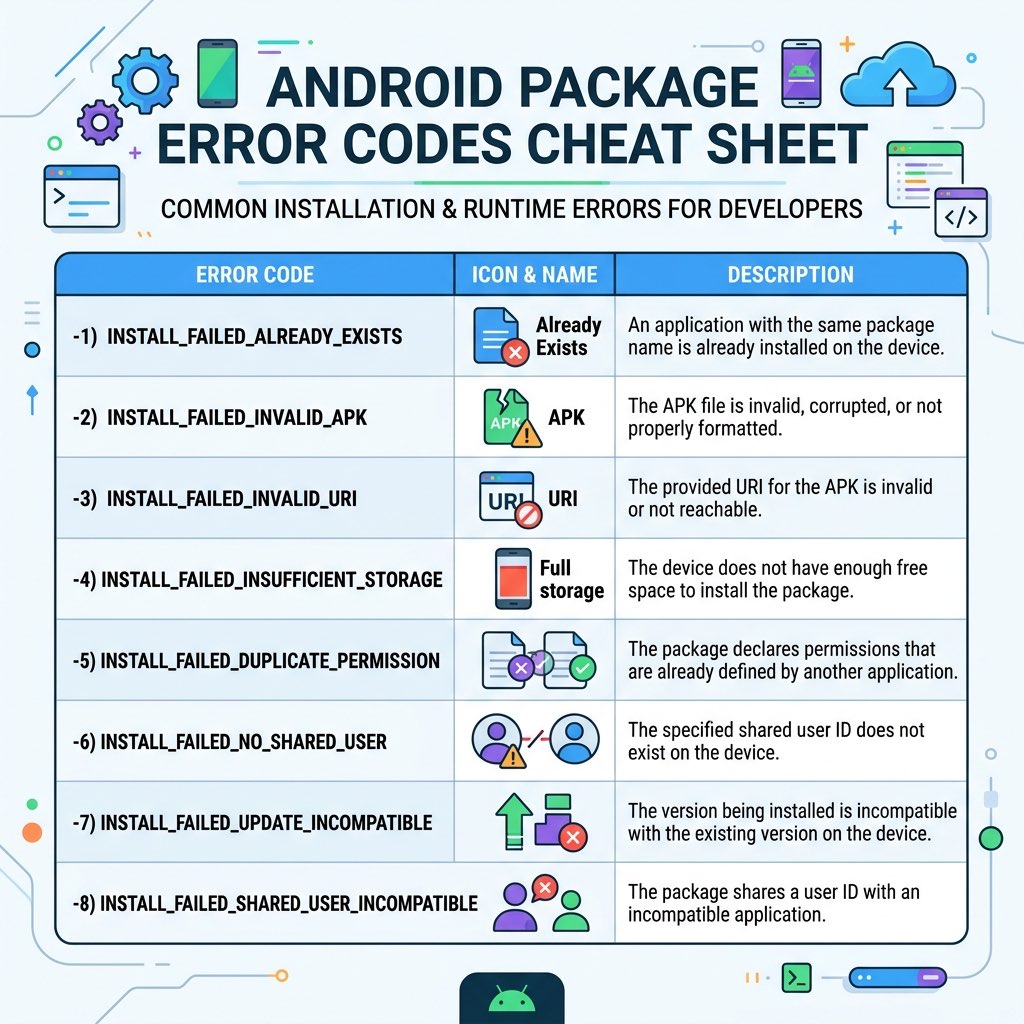
Inside the Cheat Sheet
1. How to Find and Log Your Error Code
Often, the user-facing popup just says "App not installed." To find the **real** code, you have two options:
- ADB Command: Connect your PC and run
adb install package.apk. The terminal will return the exact string (e.g.,INSTALL_FAILED_INSUFFICIENT_STORAGE). - Specialized Installers: Tools like **SAI** or **XapkTool Mobile** capture the system broadcast and display the numerical result directly in the UI.
2. Memory and Storage Errors
| Code | Technical Name | Meaning and Fix |
|---|---|---|
| -4 | INSUFFICIENT_STORAGE | You have run out of space. Note: You need roughly 2.5x the APK size free (one for the file, one for the extracted data). Clear your cache or delete unused apps. |
| -3 | INVALID_URI | The file path contains characters Android doesn't like or the file was moved during the install session. Rename the APK to something simple like app.apk and move it to the root of your internal storage. |
3. Package Integrity and Binary Errors
| Code | Technical Name | Meaning and Fix |
|---|---|---|
| -2 | INVALID_APK | The binary structure is broken. This often happens if a download is interrupted. **Fix:** Re-download the file or use our **APK integrity verification** tool. |
| -103 | NO_MATCHING_ABIS | You are trying to install a 64-bit app on a 32-bit phone (or vice-versa). **Fix:** Download the correct architecture split (arm64-v8a vs. armeabi-v7a). |
| -102 | INCONSISTENT_CERTIFICATES | You have a modified certificate in a split set. **Fix:** Ensure all splits were downloaded from the same source at the same time. |
4. Signature and Security Conflicts
| Code | Technical Name | Meaning and Fix |
|---|---|---|
| -25 | UPDATE_INCOMPATIBLE | The most common error. You are trying to install a version signed by one person over an app signed by someone else (e.g., a Mod over a Play Store version). **Fix:** Backup your data, uninstall the existing app, and then install the new one. |
| -22 | VERIFICATION_TIMEOUT | Google Play Protect is taking too long to verify the signature. **Fix:** Temporarily disable internet, uninstall the app, and try installing again offline. |
| -26 | PERMISSION_DENIED | System-level block. Often happens on enterprise-managed devices. **Fix:** Check if your "Work Profile" has a policy against sideloading. |
5. Incompatibility and OS Version Errors
| Code | Technical Name | Meaning and Fix |
|---|---|---|
| -11 | OLDER_SDK | The app requires a newer version of Android than what you have. **Fix:** Check for a system update or look for an older version of the app. |
| -113 | DEPRECATED_SDK | **Android 14 Specific.** The app targets an API level so low that it is blocked for security reasons. **Fix:** Use our Android 14 ADB Bypass Guide. |
| -15 | TEST_ONLY | The app was built for development testing only. **Fix:** Use ADB with the -t flag to install: adb install -t test_app.apk. |
6. The "Silver Bullet" Troubleshooting Steps
If you're getting a generic error and none of the codes above appear, try these four steps in order:
- Clear Play Store Cache: Settings → Apps → Google Play Store → Storage → Clear Cache & Data. This resets the Package Manager's state.
- Toggle Play Protect: Turn off "Scan apps with Play Protect" in Play Store settings, install the app, and turn it back ON immediately.
- Verify the Filename: Ensure the .apk or .xapk doesn't have double extensions like
app.apk.zip. - Check for "Ghost" Versions: Sometimes a failed uninstall leaves a trace. Use
adb uninstall com.package.nameto ensure it's fully gone before trying again.
7. Frequently Asked Questions
Can XapkTool fix these errors automatically?
Our tool fixes errors related to **Integrity (-2)** and **Inconsistent Certificates (-102)** by re-merging splits and re-signing the resulting binary. However, errors like **Insufficient Storage (-4)** must be handled by you on your physical device.
Why does my phone say "Problem parsing the package"?
This is the user-facing version of Error -2 (Invalid APK). It almost always means the file is corrupted. Try downloading it again from a different mirror.
Does Rooting my phone stop these errors?
No. In many cases, rooting can actually *introduce* more errors related to signature verification (Error -24) if the system partition is modified improperly. Sideloading is designed to work without root.